
If you wish to hide a verification from the main list in your dashboard (for example, you may have completed the compliance for that individual but wish to keep the data on the system) you can easily do this by going into the verification details page and scrolling to the bottom of the page under the "Additional Details" section, as per the following screenshot:
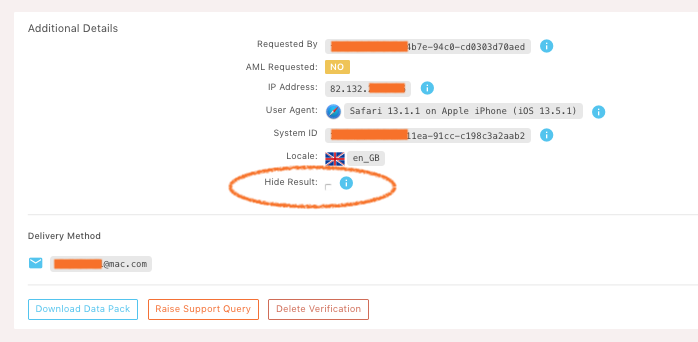
Click on the "Hide Result" check box (as shown within the highlighted oval in the above screenshot) and the verification will be hidden from the main list.
If you wish to view the hidden results in your dashboard then simply click the "Show Hidden" checkbox on the dashboard and the hidden verifications will be displayed.

Please note, completed verifications are permanently deleted from the LEM Verify system after 7 days.
Comments
0 comments
Please sign in to leave a comment.